
For anyone who already has a meal plan
Build your plate without leaving your meal plan.
Your specialist decides what's on your plan. Kineat lets you choose how to put it together, using the dishes from your everyday life. No calorie counting, no math.
Kineat organizes your specialist's meal plan; it doesn't replace it.
- Vegetables
- Fruit
- Grains
- Legumes
- Protein
- Dairy
- Fats
- Sugars
How it works
From paper to plate in three steps
Made by people who know how hard it is to cook what the paper says.
Connect with your specialist
Open the link, scan the QR code or type the code they gave you. Your plan shows up in your app.
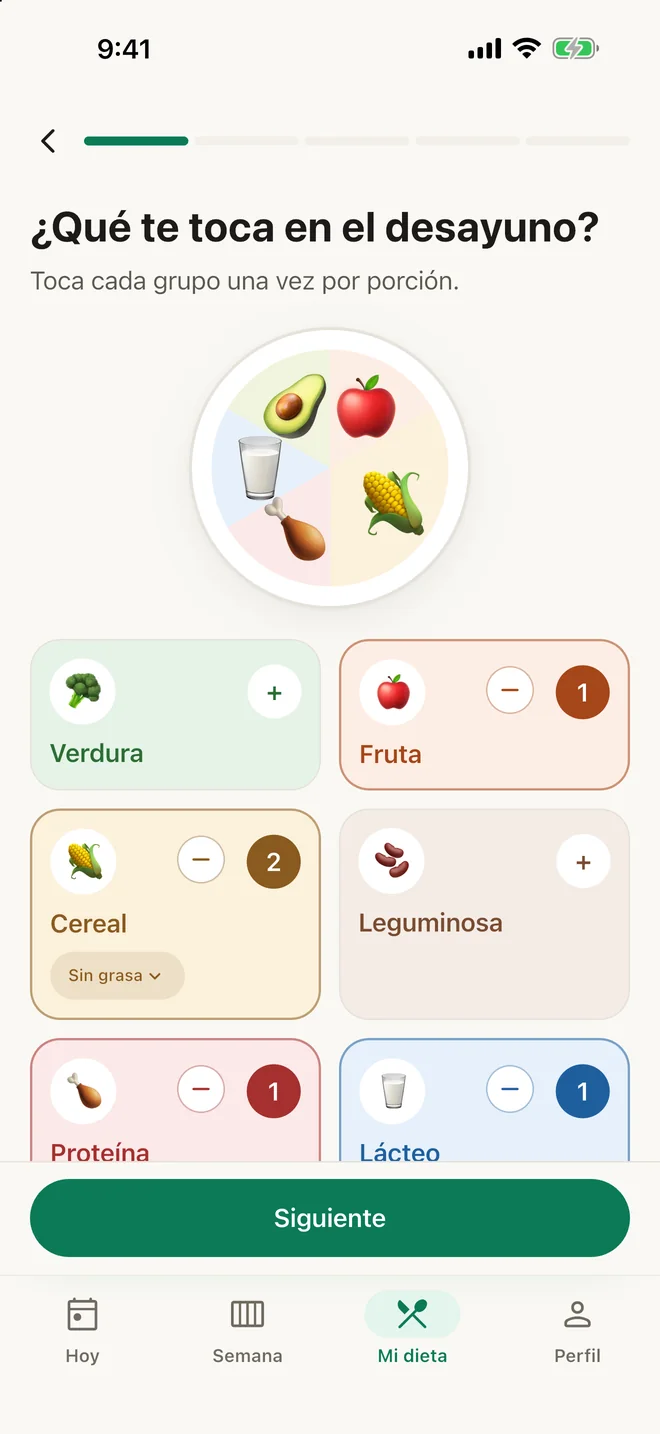
Build your plate
Every meal has a slot for each food group. Fill them with suggested dishes, your own, or swaps from the same group.
Tap “I ate this”
One tap and you're done. Your specialist sees how it's going, so you can adjust together at your visit.
What you'll notice
Freedom to build, within your plan
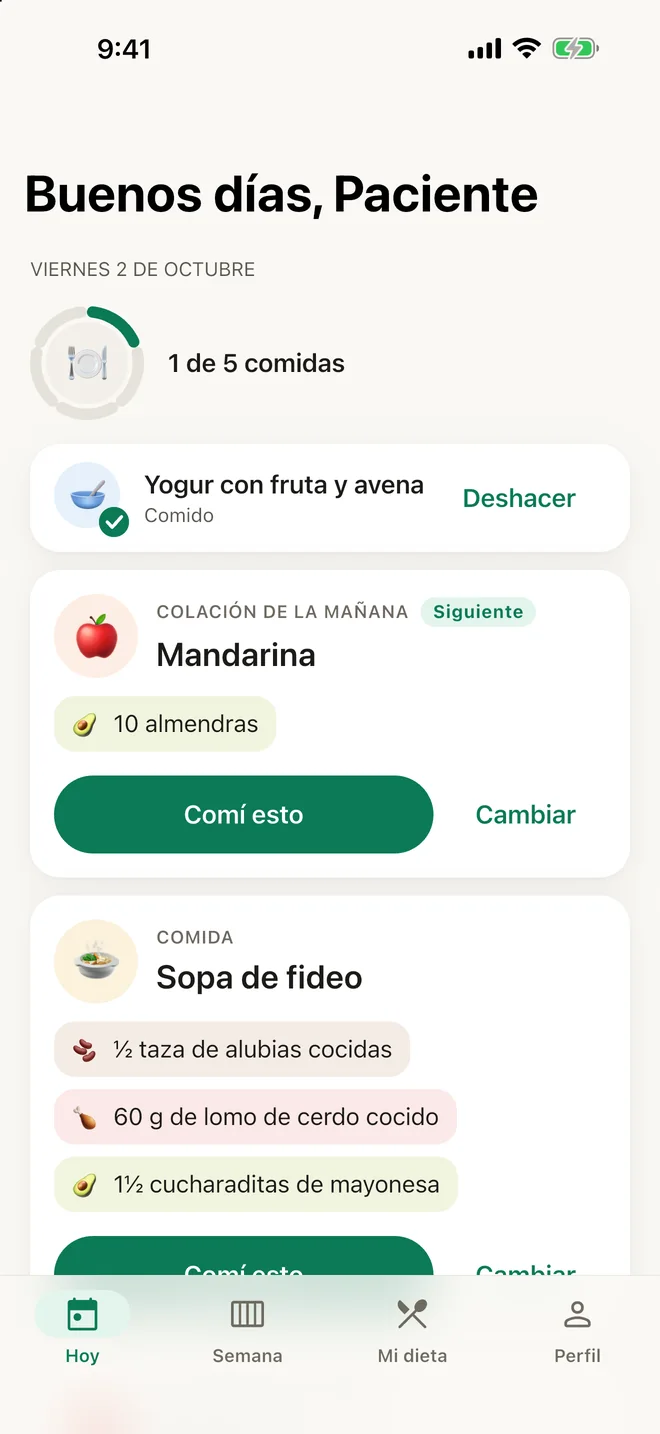
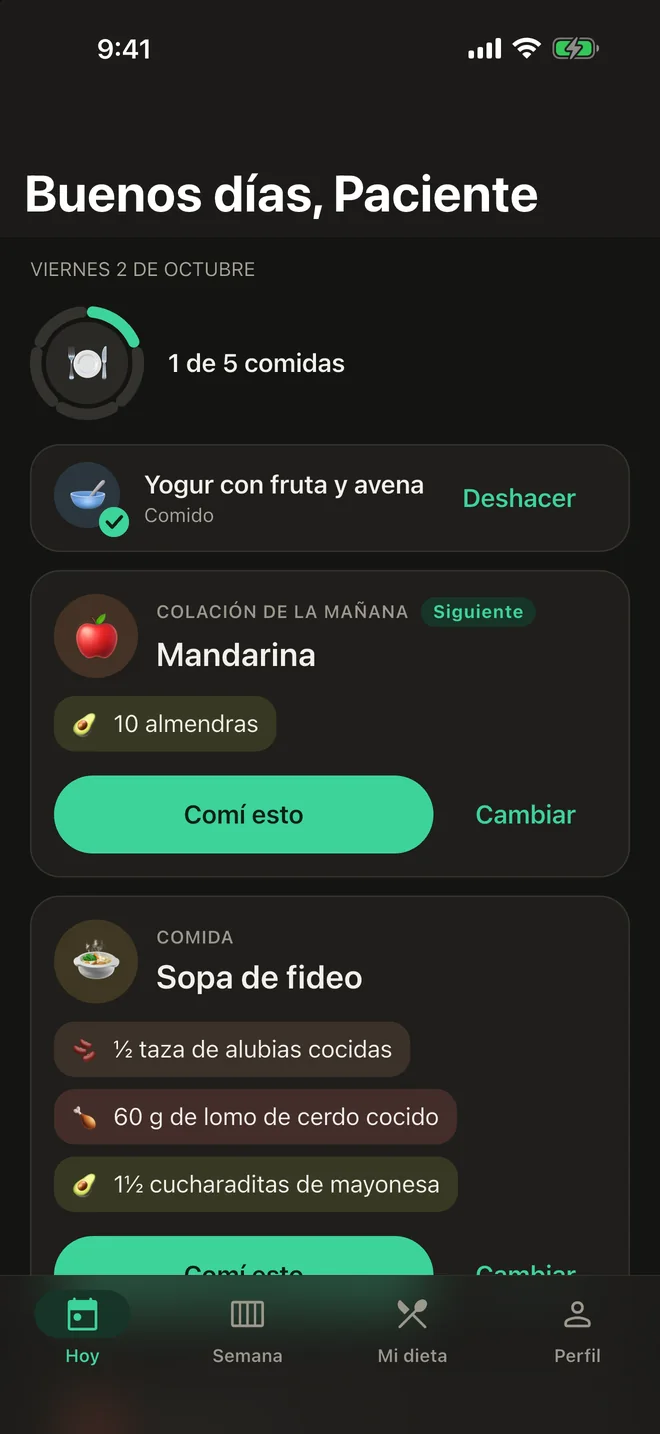
Today's plate, already built
Open the app and know what's next. No last-minute decisions.
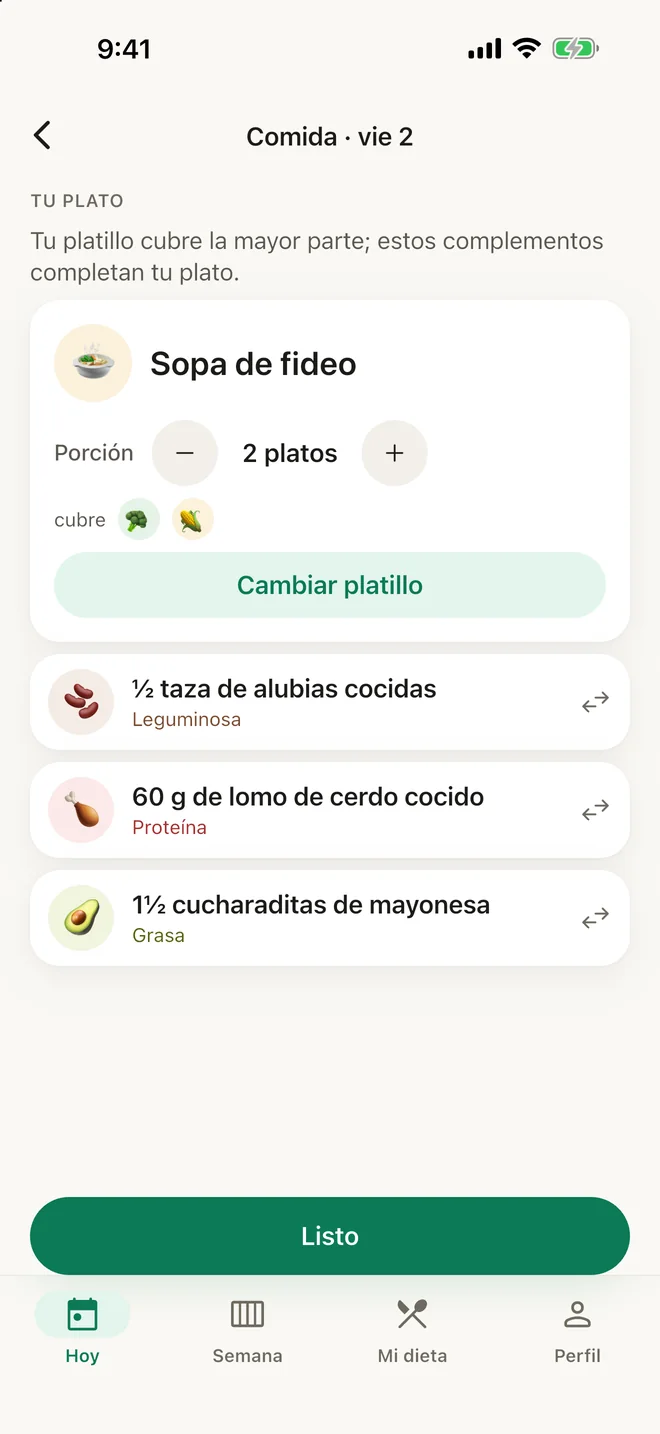
Swap without breaking the plan
No papaya today? Pick another fruit. Swaps stay inside the same group.
Dishes from home
Stews, quesadillas, soups. Kineat fits them into everyday household measures so they work for you.
No numbers, no guilt
No counting. You see portions, emojis and progress that gets celebrated.
Do you have a code from your specialist?
Type it here and we'll take you to your invitation. You can also paste the whole link.
Frequently asked questions
What almost everyone asks
Does Kineat give me a meal plan?
No. Your specialist decides what's on your plan; Kineat helps you bring it to each day's plate. Kineat organizes your specialist's meal plan; it doesn't replace it or give medical advice.
Will I see calories or numbers?
No. You'll see your plate, portions in household measures, and emojis for each food group. No counting, no guilt.
What is my specialist's code?
It's an invitation of 8 letters and numbers (or a link or QR code) that your specialist sends you. With it, your plan appears in your app and your specialist can support you.
What if I don't have a code yet?
You can ask your specialist for one, or enter your plan in the app and connect it later. Write to us if you need help.
Does my specialist see what I do in the app?
Only if you connect with them. They see which plates you build and what you mark as eaten. You can stop sharing whenever you like from Profile.
Where do I download it?
Kineat is coming to the App Store and Google Play. Check the download page for the link for your device.
Take your plate with you
Download Kineat and start with your specialist's plan.
Coming soon to the App Store and Google Play
Write to us at contacto@kineat.com and we'll let you know when it's ready.
Are you a nutrition specialist? See the portal.